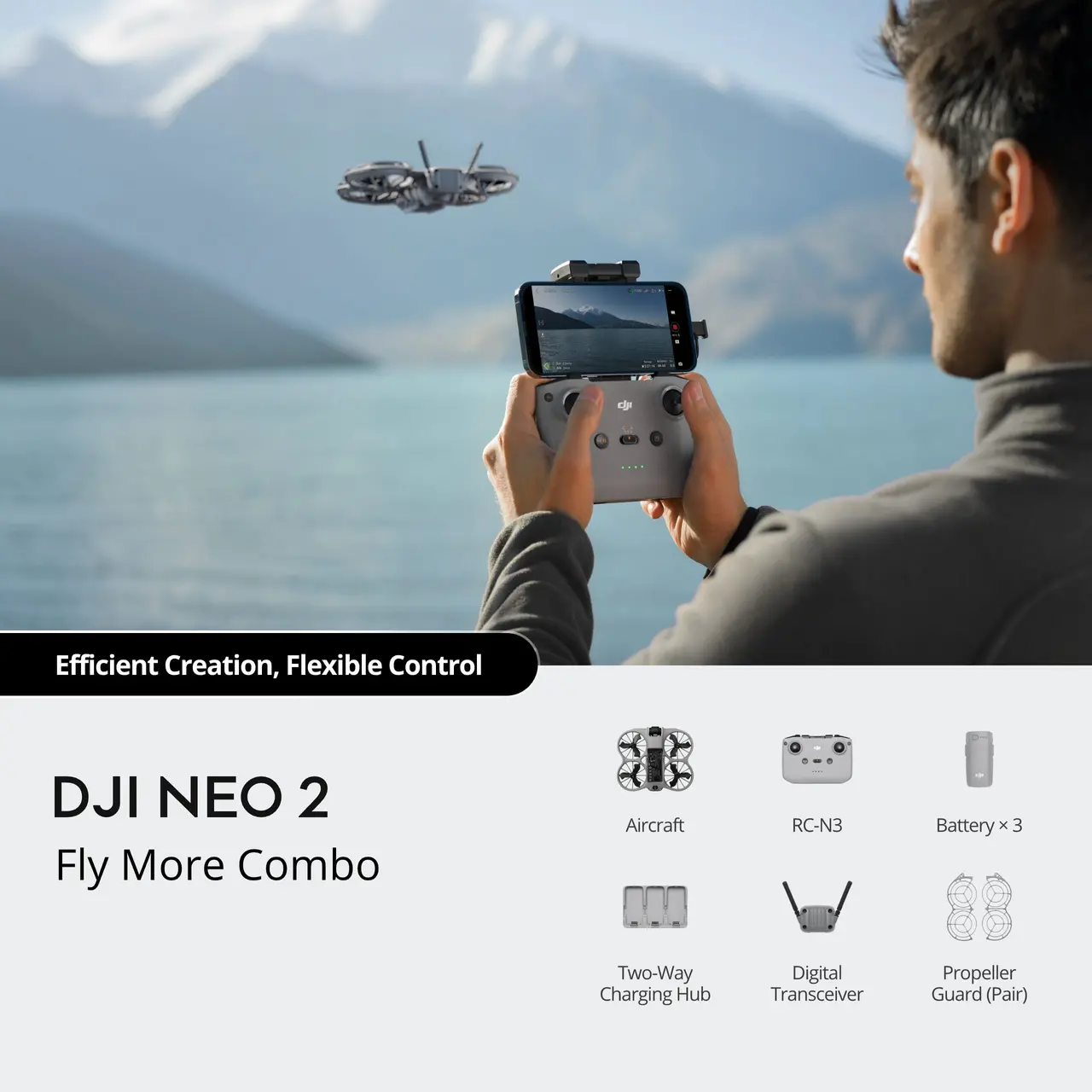
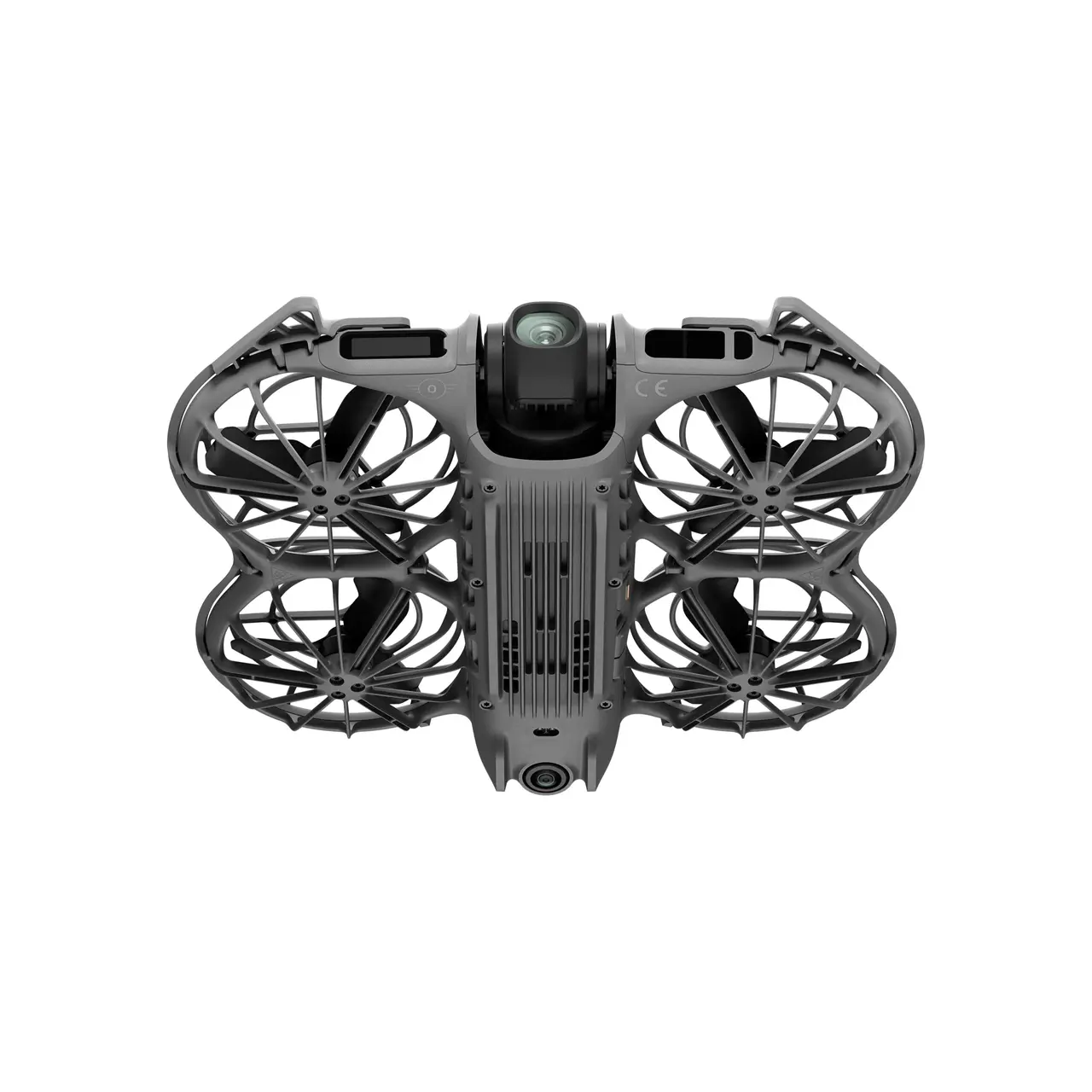
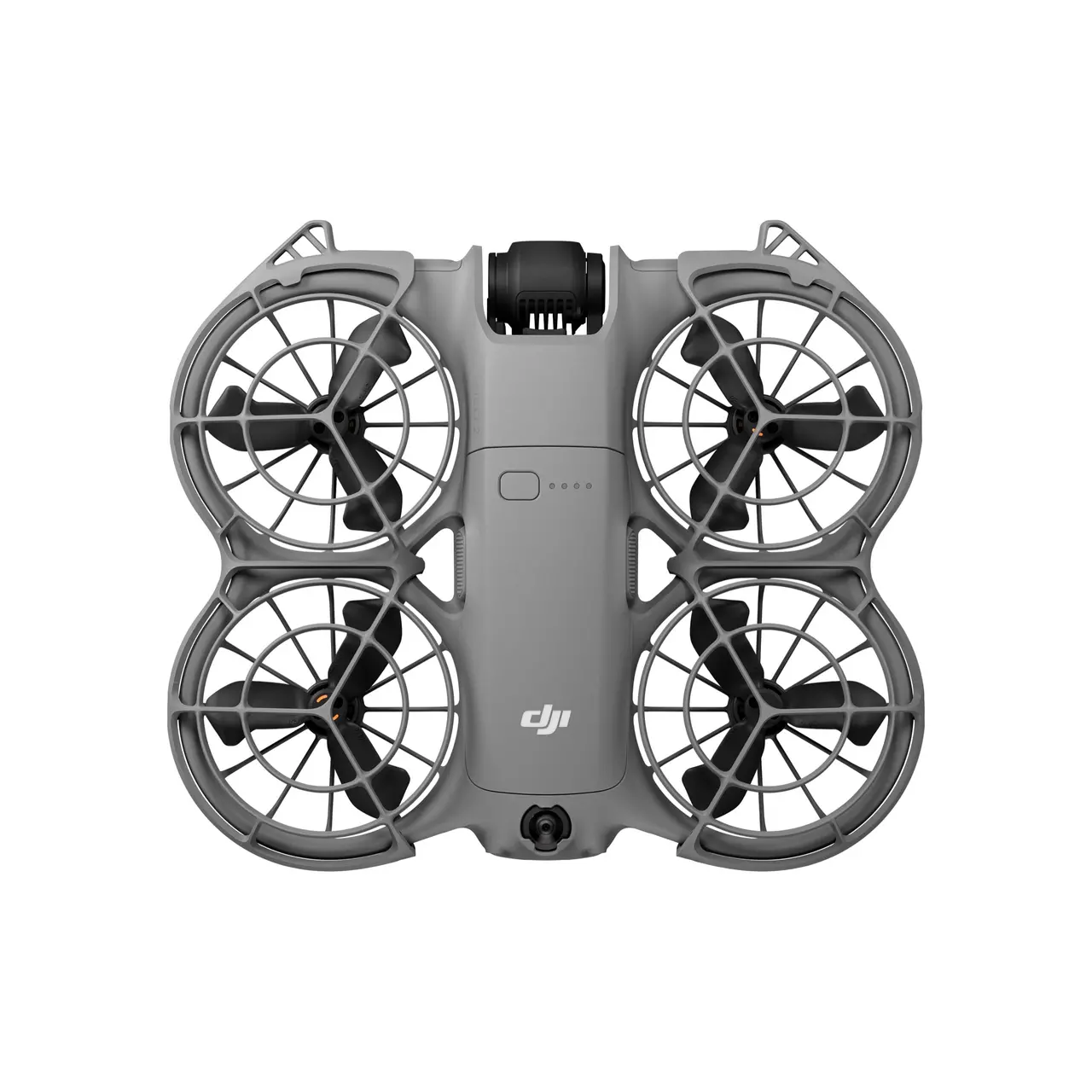
DJI Neo 2 Fly More Combo Drone

71,999.00 Original price was: ₹71,999.00.58,999.00Current price is: ₹58,999.00.
  • Advanced compact drone with enhanced flight stability and smart controls
  • Fly More Combo includes extra batteries for extended flying sessions
  • Smooth aerial photos and videos with intelligent camera optimisation
  • Lightweight, portable design – perfect for travel and daily use
  • Improved safety features for confident indoor and outdoor flying
  • Ideal for beginners, hobbyists, and content creators
Add to wishlist2 people favorited this product
  • Delivery Date (Usually Delivers Within 4 - 7 Days)
  • Including shipping costs, sent by Skylens Technology
  • Pick up at a skylenstechno.com collection point is possible
  • 7 days to change your mind and free returns
  • Day and night customer service
SKU: DJI-Neo-2-Fly-More-Combo
Categories: ,
Brand:

Description

Take a Closer Look

Master Flight With Ease

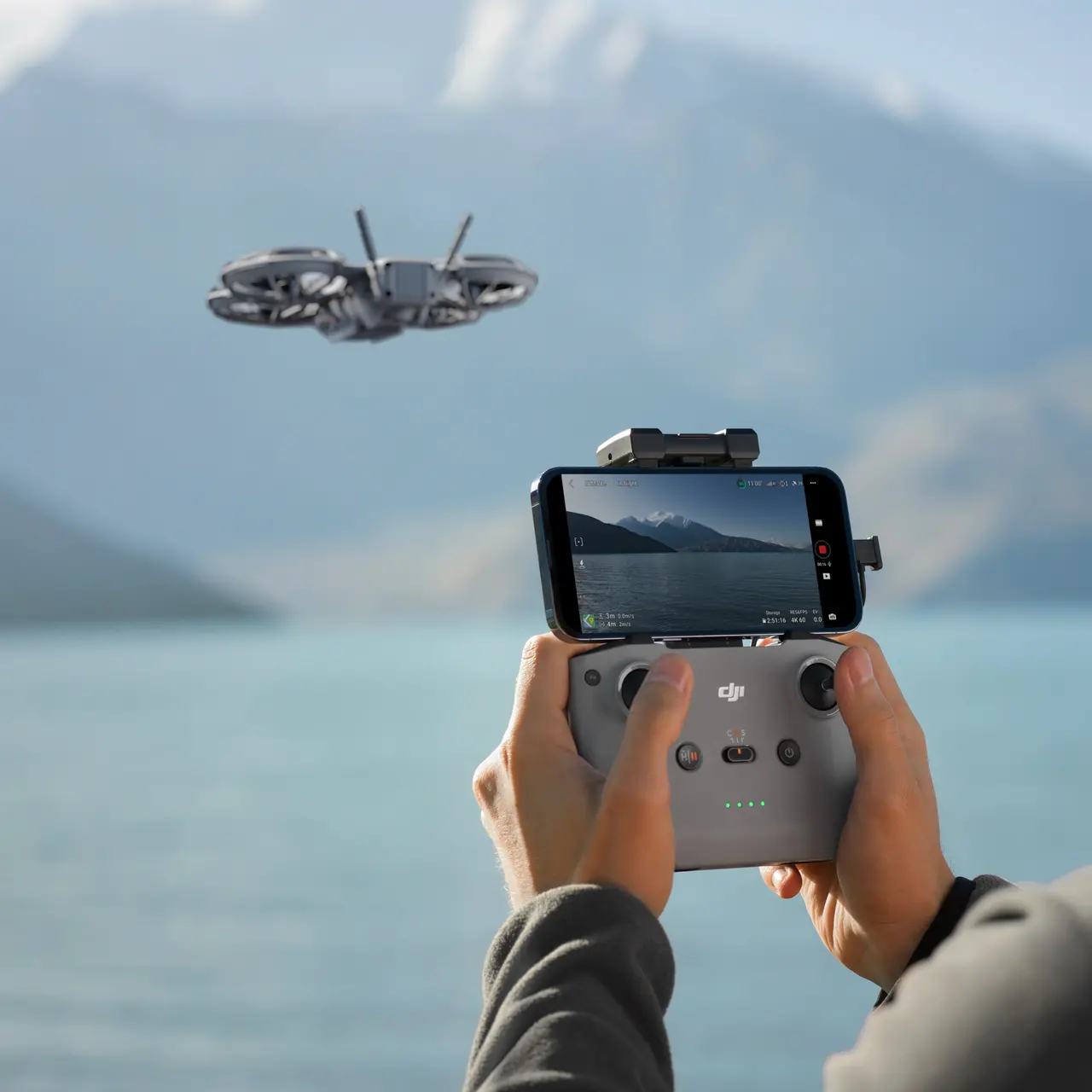
With Neo 2 pointed at you, press the side button for palm takeoff. Return-to-Palm brings the drone safely back to your palm.

Neo 2 desc video 1 1
Neo 2 desc video 2 1

4K High-Quality Imaging

Neo 2 features a 12MP, 1/2-inch CMOS sensor with an f/2.2 aperture and high-performance image processor for clearer, low-noise footage.

Neo 2 desc video 4
Neo 2 desc video 3
Neo 2 desc video 5
Neo 2 desc video 6

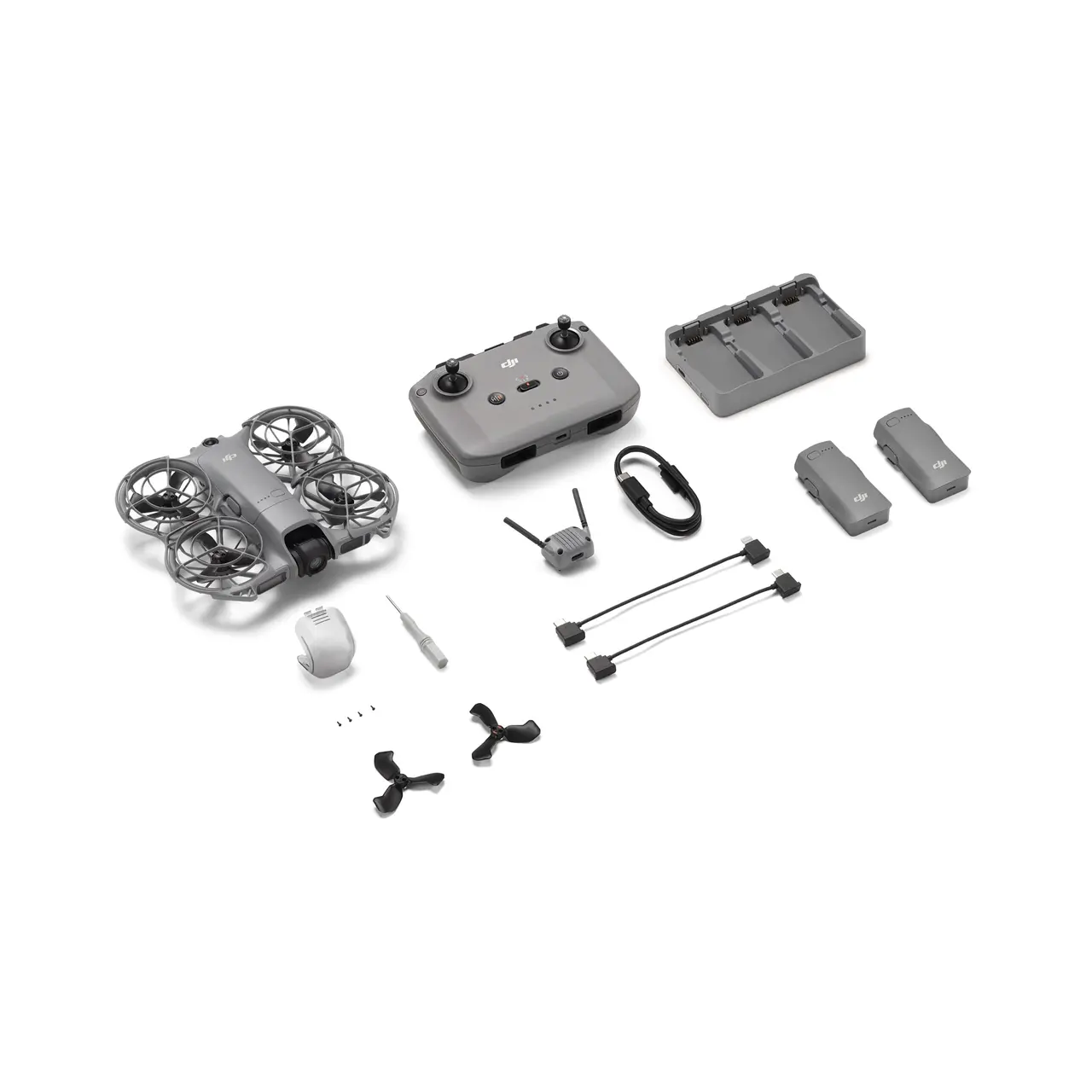
In the Box

In the Box Neo 2 1

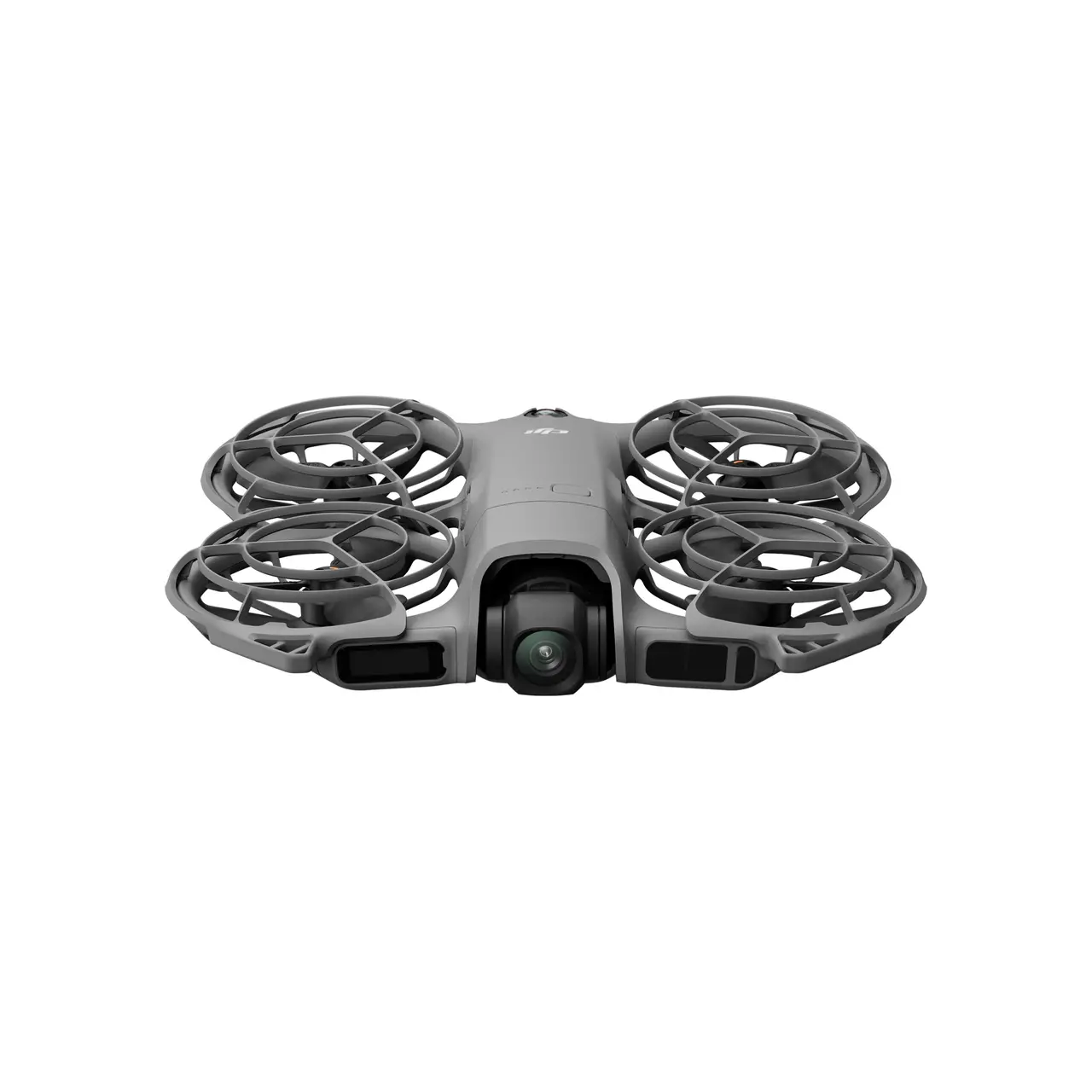
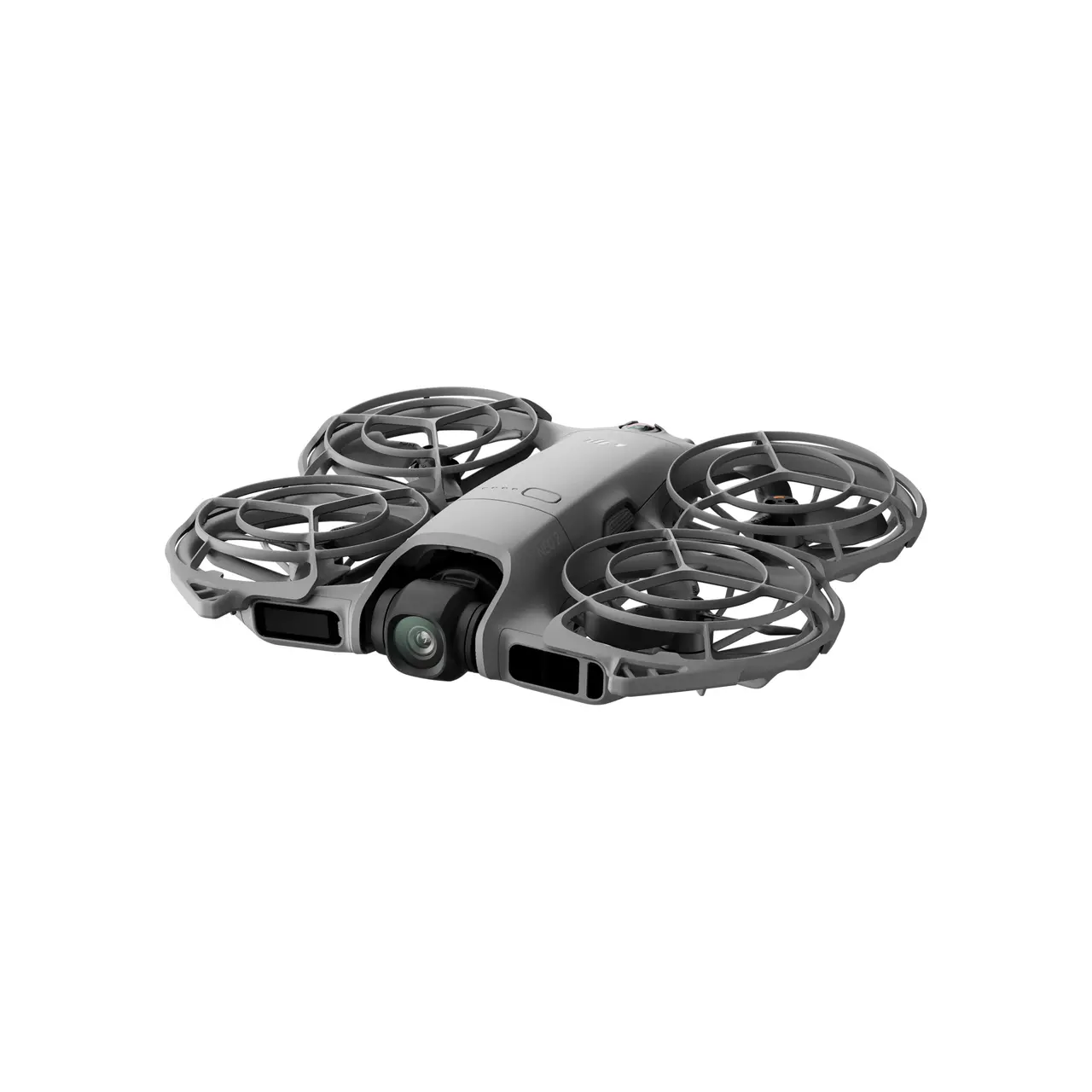
DJI Neo 2 Aircraft × 1

In the Box Neo 2 2

DJI RC-N3 Remote Controller × 1

In the Box Neo 2 3

DJI RC-N Series RC Cable (USB-C Connector) × 1

In the Box Neo 2 4

DJI RC-N Series RC Cable (Lightning Connector) × 1

In the Box Neo 2 5

DJI Neo 2 Intelligent Flight Battery × 3

In the Box Neo 2 6

DJI Neo 2 Two-Way Charging Hub × 1

In the Box Neo 2 7

DJI Neo 2 Spare Propellers (Pair) × 1

In the Box Neo 2 8

DJI Neo 2 Spare Propeller Screw × 4

In the Box Neo 2 9

Screwdriver × 1

In the Box Neo 2 10

DJI Neo 2 Propeller Guard (Pair) × 1

In the Box Neo 2 11

DJI Neo 2 Digital Transceiver × 1

In the Box Neo 2 12

DJI Neo 2 Gimbal Protector × 1

In the Box Neo 2 13

USB-C to USB-C Data Cable × 1

Moments By You

Family Outings

Outdoor Sports

Travel Memories

Let’s Answer Your Questions

Compared with DJI Neo, what are the main improvements of DJI Neo 2?

DJI Neo 2 has comprehensive improvements in its vision sensing system, camera system, video transmission system, and intelligent features. The main improvements include:

1. Newly added omnidirectional monocular vision system and forward-facing LiDAR: With the new omnidirectional obstacle sensing feature, Neo 2 can detect and avoid obstacles when tracking from the front or sides, so even beginners can operate the drone with ease, stability, and confidence. Neo 2 supports versatile flight, with enhanced hovering and positioning capabilities over Neo, making it easier to navigate challenging environments like indoors, near buildings, over water, or on snow.

2. Enhanced imaging performance: Neo 2 features a 12MP, 1/2-inch CMOS sensor with an f/2.2 aperture and high-performance image processor for clearer, low-noise footage. Shoot in 4K/60fps video, 4K/100fps slow motion, and 2.7K vertical video, all stabilized by a 2-axis gimbal.

3. New onboard display, a dedicated takeoff button, and a mode switch button.

4. New intelligent features include gesture control, Return to Palm, SelfieShot, Dolly Zoom, MasterShots, and Cycling Follow, among others.

5. Increased internal storage up to 49 GB.


1. The omnidirectional vision system only assists flight safety under certain conditions and is not a substitute for your own judgment and control. During a flight, always pay attention to the surrounding environment and the warnings on the DJI Fly app, and be responsible for and maintain control of the drone at all times. The best positioning altitude range of the vision positioning system is 0.5 to 10 m when using the system when GNSS signals are unavailable. The vision positioning performance may decrease when flying beyond this range. Fly with caution. The vision system may not function properly when the drone is flying over water, which may prevent it from actively avoiding water surfaces below when landing. Operators should maintain control of the drone at all times, make operational decisions based on an assessment of the surrounding environment, and avoid relying solely on the vision system. The vision system cannot detect certain objects or surfaces, including large structures with frames and cables (e.g., tower cranes, high‑voltage transmission towers, high‑voltage transmission lines, cable‑stayed bridges); surfaces with no texture or sparse texture; surfaces with repetitive identical patterns or textures (e.g., small tiles of the same color); solid‑colored surfaces (e.g., pure black, pure white, pure red, pure green); strongly reflective or mirrored surfaces (e.g., ice, road signs); water or transparent surfaces; surfaces of moving objects (e.g., above moving crowds, above waving shrubs or grass); moving obstacles (e.g., walking people, moving vehicles); scenes with drastic lighting changes; surfaces that are extremely dark (e.g., less than 1 lux) or extremely bright (e.g., more than 100,000 lux);materials with strong infrared absorption or reflection properties (e.g., mirrors, glass, road signs, asphalt); small obstacles (e.g., fences, branches, power lines); and thin poles or small vertical objects (e.g., utility poles, street lamps). Do not obstruct or interfere with the sensing system under any circumstances. Ensure that all lenses remain clear, free from dirt, smudges, or other contaminants, and are not scratched. Vision system cameras may need to be calibrated after being stored for an extended period. A prompt will appear in the DJI Fly app and calibration will be performed automatically. Do not fly when it is rainy, smoggy, or the visibility is lower than 100 m. Before takeoff, inspect the sensing system’s glass surfaces. Remove any protective film, stickers, or other obstructions. If water droplets, fingerprints, or smudges are present, clean the glass using a lint‑free cloth. Do not use alcohol or other organic solvents. If the glass surface is loose, broken, scratched, or worn, send the drone to an authorized service center for repair. Refer to the product’s user manual for more details.

2. Versatile flight refers to DJI Neo 2’s ability to fly both indoors and outdoors, with greatly enhanced performance compared to DJI Neo, especially in conditions like flying over water or snow. Always ensure compliance with local laws and regulations, certification requirements, and airspace authorizations, and make sure you understand and have obtained all necessary permissions before operating the drone. Flight performance may decrease if the drone is flown near solid-colored, transparent, or low-texture surfaces under weak GNSS signal conditions. Always fly with caution in well-lit environments. When flying over water, maintain an altitude of at least 1 m to ensure safety. Refer to the product’s user manual for more details.

3. 4K/100fps slow-motion video recording is only supported when using the remote controller or motion controller.

4. Follow these conditions and precautions when using gesture control: Ensure the surrounding environment is safe when using this feature, and avoid moving people, animals, or vehicles. Do not use gesture control in areas with small or thin objects (e.g., branches or power lines), transparent objects (e.g., glass or water), or solid‑colored surfaces (e.g., white walls). Use this feature only in environments with suitable lighting. Gesture control will not function when ambient light is below 5 lux or above 100,000 lux. Gesture control is supported only in Spotlight or Follow mode, and is not supported when using the remote controller or motion controller. Keep the drone approximately 2 to 5 m from the operator when using this feature. Keep your fingers fully extended when using this feature. Gesture control won’t work with thick gloves or mittens, and the subject should be completely visible in the camera frame without any obstructions. When using Return to Palm, maintain a horizontal distance of 2 to 5 m between the drone and your palm, and a vertical distance of no more than 2 m. If the function does not respond at close range, adjust the drone’s position via gesture control or move yourself to avoid visual blind spots before trying again. To make the drone fly back by raising one arm, keep it within 10 m horizontally from your arm, ensure your arm is fully extended when raised, and do not raise both arms simultaneously, as this will prevent the drone from flying back.

No. Avoid contact with water during use, as it may damage the device.

If it rains during the flight, return and land as soon as possible, and wait until the drone is fully dry inside and out before using it again.

DJI Neo 2 is a vlogging drone ideal for capturing everyday life, leisure activities, and family moments.

If you need a portable drone to instantly capture travel, camping, running, cycling, skateboarding, hiking, or parenting, DJI Neo 2 is your ideal choice.


DJI Neo 2 is suitable for users aged 16 and above.

Palm control, gesture control, mobile app control, voice control via mobile, and RC control.

1. When using palm takeoff and landing, adhere to the following guidelines: operate in a windless environment as much as possible; extend your palm horizontally and keep it still, avoiding finger contact with the propellers to prevent injury; do not attempt to grab the drone while it is flying.

2. Follow these conditions and precautions when using gesture control: Ensure the surrounding environment is safe when using this feature, and avoid moving people, animals, or vehicles. Do not use gesture control in areas with small or thin objects (e.g., branches or power lines), transparent objects (e.g., glass or water), or solid‑colored surfaces (e.g., white walls). Use this feature only in environments with suitable lighting. Gesture control will not function when ambient light is below 5 lux or above 100,000 lux. Gesture control is supported only in Spotlight or Follow mode, and is not supported when using the remote controller or motion controller. Keep the drone approximately 2 to 5 m from the operator when using this feature. Keep your fingers fully extended when using this feature. Gesture control won’t work with thick gloves or mittens, and the subject should be completely visible in the camera frame without any obstructions. When using Return to Palm, maintain a horizontal distance of 2 to 5 m between the drone and your palm, and a vertical distance of no more than 2 m. If the function does not respond at close range, adjust the drone’s position via gesture control or move yourself to avoid visual blind spots before trying again. To make the drone fly back by raising one arm, keep it within 10 m horizontally from your arm, ensure your arm is fully extended when raised, and do not raise both arms simultaneously, as this will prevent the drone from flying back.

3. Requires connecting DJI Neo 2 to a mobile phone via Wi-Fi. The virtual joysticks on the mobile app interface are only for fine-tuning the drone’s position during shooting or controlling the drone to return. It cannot provide the same control experience as a traditional remote controller. You can use a standard DJI remote controller for a professional flight control experience. To ensure flight safety, when using mobile app control, the drone is limited to a maximum height of 60 m.

4. Supports English and Mandarin only. Requires connecting DJI Neo 2 to a mobile phone via Wi-Fi.

5. Requires DJI Neo 2 Digital Transceiver, along with the designated remote controller and goggles. These can be obtained by purchasing specific combos or by buying the designated items separately.

DJI Neo 2 offers a range of intelligent shooting modes.

For palm control or mobile app control, DJI Neo 2 supports Follow, Cycling Follow, SelfieShot, Dolly Zoom, MasterShots, Dronie, Circle, Rocket, Spotlight, Helix, Boomerang, and more.

When controlling with a remote controller, DJI Neo 2 supports multiple QuickShots modes.


Once DJI Neo 2 is activated and updated to the latest firmware, the drone will have Follow, SelfieShot, Dronie, Circle, and Rocket enabled by default. Other features can be added and reordered in Custom mode via the DJI Fly app.

Palm control is simple to use. Even those with no drone experience can get started quickly.

DJI Neo 2 can take off and land from and onto your palm and perform intelligent filming by locking onto the subject using visual algorithms*, all without the need for a remote controller or any auxiliary device.


* Currently, only human subject tracking is supported; tracking other subjects is not available

Yes. With the new omnidirectional obstacle sensing feature* Neo 2 can detect and avoid obstacles when tracking from the front or sides, so even beginners can operate the drone with ease, stability, and confidence.


* The omnidirectional vision system only assists flight safety under certain conditions and is not a substitute for your own judgment and control. During a flight, always pay attention to the surrounding environment and the warnings on the DJI Fly app, and be responsible for and maintain control of the drone at all times. The best positioning altitude range of the vision positioning system is 0.5 to 10 m when using the system when GNSS signals are unavailable. The vision positioning performance may decrease when flying beyond this range. Fly with caution. The vision system may not function properly when the drone is flying over water, which may prevent it from actively avoiding water surfaces below when landing. Operators should maintain control of the drone at all times, make operational decisions based on an assessment of the surrounding environment, and avoid relying solely on the vision system. The vision system cannot detect certain objects or surfaces, including large structures with frames and cables (e.g., tower cranes, high‑voltage transmission towers, high‑voltage transmission lines, cable‑stayed bridges); surfaces with no texture or sparse texture; surfaces with repetitive identical patterns or textures (e.g., small tiles of the same color); solid‑colored surfaces (e.g., pure black, pure white, pure red, pure green); strongly reflective or mirrored surfaces (e.g., ice, road signs); water or transparent surfaces; surfaces of moving objects (e.g., above moving crowds, above waving shrubs or grass); moving obstacles (e.g., walking people, moving vehicles); scenes with drastic lighting changes; surfaces that are extremely dark (e.g., less than 1 lux) or extremely bright (e.g., more than 100,000 lux);materials with strong infrared absorption or reflection properties (e.g., mirrors, glass, road signs, asphalt); small obstacles (e.g., fences, branches, power lines); and thin poles or small vertical objects (e.g., utility poles, street lamps). Do not obstruct or interfere with the sensing system under any circumstances. Ensure that all lenses remain clear, free from dirt, smudges, or other contaminants, and are not scratched. Vision system cameras may need to be calibrated after being stored for an extended period. A prompt will appear in the DJI Fly app and calibration will be performed automatically. Do not fly when it is rainy, smoggy, or the visibility is lower than 100 m. Before takeoff, inspect the sensing system’s glass surfaces. Remove any protective film, stickers, or other obstructions. If water droplets, fingerprints, or smudges are present, clean the glass using a lint‑free cloth. Do not use alcohol or other organic solvents. If the glass surface is loose, broken, scratched, or worn, send the drone to an authorized service center for repair. Refer to the product’s user manual for more details.

Supports RockSteady and turning stabilization off.*

* The stabilization switch (On/Off) is only available when paired with goggles. When stabilization is turned off, footage captured supports offline stabilization with Gyroflow.

After connecting DJI Neo 2 with the DJI Fly app, you can check live feeds of the drone, adjust shooting parameters, and quickly transfer footage to your mobile phone.

When operating Neo 2 with the DJI Fly app or using the RC-N3/RC-N2 remote controller, you can use either your phone’s microphone or DJI Mic 2 for audio recording. DJI Neo 2 also supports voice control when operated with the DJI Fly app.

Once the footage captured by DJI Neo 2 is imported into the DJI Fly app, you can add Glamour Effects or quickly edit the footage for instant video creation.

There are two charging methods: Using the Two-Way Charging Hub or charging via the aircraft body.


1. When using the Two-Way Charging Hub (65W max charging power): Approx. 68 minutes to charge three batteries simultaneously from 0% to 100%

2. When directly charging the aircraft body (15W max charging power): Approx. 70 minutes to charge from 0% to 100%


The number of batteries that can be charged simultaneously depends on the power of the charger used. Using a charger rated above 45 W allows you to charge three batteries at the same time. Using a charger rated between 30 W and 45 W allows you to charge only two batteries simultaneously. Using a charger below 30 W will charge the batteries sequentially, from the highest remaining charge to the lowest. Refer to the charging protocols supported by the charger.

Charging time is measured in a test environment with a temperature of 25° C (77° F). Actual charging time may increase due to higher ambient temperatures or variations in mains voltage between regions.

When flying the drone with a remote controller or goggles, install DJI Neo 2 Digital Transceiver for stable, low‑latency video transmission.

When using palm control only, remove the DJI Neo 2 Digital Transceiver to reduce aircraft weight and extend flight time.


For detailed instructions on installing, removing, and using DJI Neo 2 Digital Transceiver, refer to the product’s user manual.

Experience the Next Level of Smart Flying

The DJI Neo 2 Fly More Combo Drone is designed for users who want a perfect balance of performance, portability, and intelligent flying technology. Whether you are stepping into the drone world for the first time or upgrading to a more refined flying experience, this drone delivers reliability, precision, and enjoyment in every flight.

Built with advanced stabilisation, intelligent flight assistance, and extended endurance, the DJI Neo 2 Fly More Combo Drone ensures smooth control and consistent performance across different flying environments.

Why Choose DJI Neo 2 Fly More Combo Drone?

Modern drone users want more than just flight—they want confidence, clarity, and control. The DJI Neo 2 Fly More Combo Drone offers all three.

With its Fly More Combo package, you get additional batteries and accessories that allow you to fly longer, practice more, and capture more without frequent interruptions. This makes it a highly practical option for creators, travellers, and enthusiasts who value uninterrupted sessions.

Smart Camera Performance for Everyday Creativity

The camera system on the DJI Neo 2 Fly More Combo Drone is optimised for stable and clear aerial shots. Advanced electronic stabilisation ensures reduced shake, even during directional movements. Whether you are capturing landscapes, short social media clips, or personal memories, the footage remains smooth and visually pleasing.

This drone is engineered to make aerial photography simple, allowing users to focus on creativity instead of technical complexity.

Fly More Combo = More Time in the Air

One of the biggest advantages of the DJI Neo 2 Fly More Combo Drone is its extended flight capability. The Fly More Combo includes multiple intelligent batteries, significantly increasing total flight time.

Benefits of the Fly More Combo:

  • Reduced downtime between flights

  • Ideal for training and practice sessions

  • Better value compared to single-battery kits

  • Reliable power management and battery safety

With this setup, you spend more time flying and less time waiting.

Intelligent Flight Assistance & Safety

Safety is a key priority in the DJI Neo 2 Fly More Combo Drone. Intelligent flight algorithms assist in maintaining stable hover, smooth take-off, and controlled landing. These features make the drone beginner-friendly while still being enjoyable for experienced users.

Built-in safety mechanisms help reduce accidental crashes, making it suitable for both indoor and outdoor environments.

Compact, Lightweight & Travel-Friendly

Portability is another strong advantage of the DJI Neo 2 Fly More Combo Drone. Its compact design allows easy storage in backpacks or carry cases, making it an excellent choice for travel enthusiasts and daily users.

Despite its small size, it delivers dependable performance, proving that powerful flying does not require bulky hardware.

Who Is This Drone Best For?

The DJI Neo 2 Fly More Combo Drone is ideal for:

  • Beginners looking for a safe and easy-to-fly drone

  • Content creators who need quick aerial shots

  • Hobbyists upgrading from entry-level drones

  • Travellers seeking a lightweight aerial companion

Its balance of simplicity and capability makes it suitable for a wide audience.

DJI Neo 2 Fly More Combo Drone in India

Designed to meet the expectations of Indian drone users, the DJI Neo 2 Fly More Combo Drone fits well into personal, recreational, and creative use cases. Always operate responsibly and follow local drone regulations for a safe flying experience.

Final Verdict

If you are looking for a smart, compact, and value-packed drone solution, the DJI Neo 2 Fly More Combo Drone stands out as a reliable choice. With extended flight time, intelligent assistance, and a portable design, it delivers an enjoyable and confidence-building flying experience.

This is not just a drone—it is a complete flying ecosystem built for modern users.

Additional information

Weight 900 g

Reviews

There are no reviews yet.

Be the first to review “DJI Neo 2 Fly More Combo Drone”